Maya to USDT: Paano Bumili ng USDT sa Maya, Mag-send sa Tamang Network, at Ano ang Dapat Bantayan
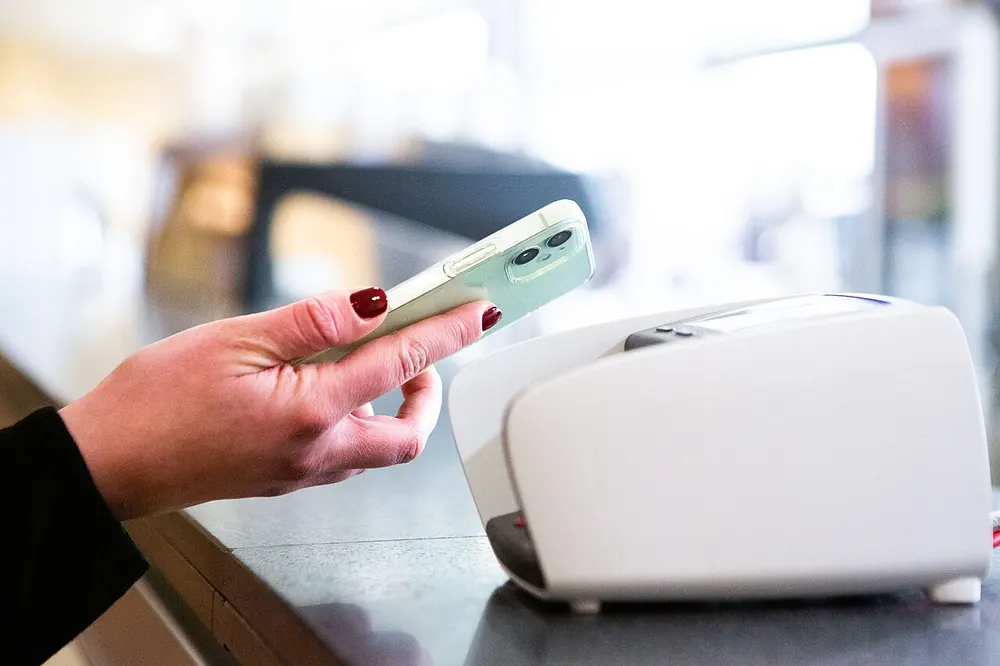
Maraming Pinoy ang may Maya account para sa savings, bills at QR payments. Kaya natural lang na tanungin: puwede bang gawing USDT ang laman ng Maya, at i-send ito sa exchange o sa crypto casino? Oo, sa pamamagitan ng Maya Crypto. Pero may ilang detalye na dapat mong malaman bago pindutin ang "Confirm," lalo na pagdating sa network.
This guide walks through converting Maya pesos to USDT, sending it safely, and what to do if a feature is unavailable. For USDT basics, see our USDT casino Philippines guide; for moving USDT from Maya to a casino specifically, see our Maya crypto to casino guide.
18+/21+. Crypto only. Ad: we may earn a commission. Play responsibly. October 2026
Ano ang kailangan
- A fully verified Maya account in your name.
- Maya Crypto activated in the app.
- Pesos in your Maya wallet.
- If you plan to send USDT out: the receiving address and network from the receiving platform.
Step 1: Bumili ng USDT sa Maya Crypto
- Open Maya and go to the Crypto section.
- Find USDT in the list of available coins.
- Tap Buy and enter the peso amount.
- Review the quote: how much USDT you will receive for your pesos.
- Confirm. The USDT appears in your Maya Crypto portfolio.
Check the quoted amount, not just the price. Divide the pesos by the USDT you receive to get your effective price per USDT, and compare it with the market USD/PHP rate. The difference is the spread, which is part of what you pay. At an October 2026 reference rate of about ₱62.80 per dollar, ₱5,000 equals about 79.6 USDT before the spread.
Step 2: Alamin ang network na tinatanggap ng receiver
USDT exists on many blockchains: Ethereum (ERC-20), Tron (TRC-20), BNB Smart Chain, Solana, Polygon, TON and others. When you send USDT, you must use a network that both Maya and the receiving platform support. Maya asks you to select the network when receiving, and shows the network on the confirmation screen when sending. Before you send:
- In the receiving platform (exchange or casino), choose USDT and note which networks it accepts.
- In Maya, start a send and check which networks are offered for USDT.
- Choose a network that appears on both lists.
Maya's help pages warn that sending on a wrong or unsupported network, without a required memo, or to a retired address may result in permanent loss. Supported networks can change; check them in the app each time rather than relying on a list from any website.
Step 3: I-send ang USDT
Based on Maya's help centre for sends under ₱50,000:
- Tap Send on the Maya Crypto dashboard.
- Choose USDT.
- Enter the amount; Maya shows the total to be deducted, including network fees.
- Paste the recipient's USDT address, or scan its QR code.
- On the confirmation screen, review the exact amount, network fee, total deduction, recipient address and network.
- Confirm and keep the receipt.
Copy the address from inside your logged-in receiving account, and check the first and last characters after pasting. If the receiver requires a memo or tag, add it.
Ang ₱50,000 rule
For sends of ₱50,000 or more, Maya asks for recipient details, such as whether you are sending to yourself and the recipient's name. This follows the travel rule, an anti-money-laundering standard that requires information about the sender and recipient for larger crypto transfers. Answer accurately. If you are sending to your own account at an exchange, say so.
Kung "currently unavailable" ang send
Maya has been rolling out a refreshed Maya Crypto experience, and some of its help articles have noted that certain send features were temporarily unavailable during the rollout. If you cannot send USDT from Maya:
- Check the app and Maya's help centre for the current status.
- Do not use third-party "agents" who offer to send on your behalf.
- Consider an alternative route: cash in pesos to a BSP-registered exchange from your Maya account or bank, buy USDT there, and send from the exchange.
Alternative route: Maya papunta sa local exchange
Many users move pesos from Maya to a local exchange account in their own name, through the exchange's cash-in options, then buy USDT on the exchange. Exchanges often offer more networks and published fee schedules. The trade-off is an extra account to verify and extra steps. Compare the USDT you would end up with on each route, including any cash-in fees.
Fees: ano ang binabayaran mo
| Cost | Where it appears |
|---|---|
| Spread | Built into the buy price; compare the quoted USDT amount |
| Network fee | Shown on Maya's send screen and deducted from your crypto wallet |
| Receiver's fees | Some platforms charge for small deposits or for withdrawals later |
Network fees are often fixed per transaction, so small sends lose a larger percentage. Sending planned, larger amounts within your budget, less often, keeps costs down.
Worked example (illustrative)
Paolo has ₱5,000 in Maya and wants USDT in his exchange account. He buys USDT in Maya Crypto; the quote shows about 78.9 USDT, an effective price of about ₱63.40, roughly 1% above the reference rate. On his exchange, he selects USDT deposit and sees the supported networks. He starts a send in Maya, chooses a network both support, pastes the exchange address, and sees the network fee and total on the confirmation screen. He confirms; the USDT arrives after the network's confirmations. He saves the receipt with the transaction details.
USDT pabalik sa piso sa Maya
To convert back, use Maya's Receive option: choose USDT, select the network, and copy the address or QR code. Send from your exchange or casino on exactly that network. Once it arrives, sell USDT for pesos in Maya Crypto. You pay the sending platform's withdrawal fee and Maya's spread on the sale.
Paggamit ng Maya USDT sa crypto casino
Since August 2025, under BSP Memorandum M-2025-029, e-wallets including Maya no longer show in-app links to gambling sites. Some users still fund offshore crypto casinos by sending USDT from Maya Crypto or an exchange to their casino deposit address. If you do, check that the casino supports the network, note its minimum deposit, and remember that offshore casinos such as Cloudbet, our affiliate partner, are licensed abroad (Cloudbet in Curaçao), not by PAGCOR. Maya's own terms and monitoring apply to your account. Our Maya crypto to casino guide covers this route in more detail.
18+/21+. Crypto only. Ad: we may earn a commission. Play responsibly. October 2026
Maya vs GCash GCrypto para sa USDT
| Maya Crypto | GCash GCrypto | |
|---|---|---|
| Buying USDT | In-app, with pesos from Maya | In-app, with pesos from GCash |
| Network selection | Chosen on receive and shown on send | Listed networks for USDT include ERC-20, TRC-20, Avalanche, Celo, Kaia and TON (as of October 2026) |
| Fees | Spread plus network fee on sends | Spread; send fee varies by coin and includes network fee; receiving free |
| Large sends | Recipient details at ₱50,000+ | Daily send limit of ₱1,000,000; security reviews on some sends |
Neither is universally cheaper. If you hold accounts on both, compare the USDT quoted for the same peso amount and the send fee on the network you need, on the day you send.
Kung hindi dumating ang USDT
- Open the receipt in Maya and check the status and transaction details.
- If a transaction hash is shown, look it up on the network's blockchain explorer.
- If the explorer shows it confirmed to the correct address on a supported network, contact the receiving platform's support with the hash.
- If it shows a different network than the receiver supports, contact the receiver immediately; recovery is not guaranteed.
- If the send is still pending in Maya, wait and contact Maya through its official help channels if it stays pending unusually long.
Security settings sa Maya
- Enable biometric login and keep your MPIN private.
- Never share one-time codes, even with someone claiming to be Maya.
- Keep your Maya app and phone operating system updated.
- Review your crypto send history regularly for anything you do not recognise.
Savings at crypto: paghiwalayin
Many people use Maya for savings and daily spending as well as crypto. Converting savings into USDT for betting or speculation is risky: savings are meant for emergencies and goals. If you use USDT for a crypto casino, decide a fixed monthly amount, convert only that, and keep the rest of your Maya balance untouched. Record every conversion and send, including fees, so you know exactly how much has moved out of your savings and spending money.
Bakit USDT at hindi ibang coin
Maya Crypto offers several coins. USDT is popular because it is a stablecoin designed to stay close to one US dollar, so its peso value moves only with the dollar-peso rate rather than with crypto market swings. That makes it practical for moving value between platforms or holding a balance for a short time. It is not risk-free: stablecoins depend on their issuers' reserves and operations, and the peso-dollar rate still moves. If you only need to move value and the receiver supports it, USDC is an alternative stablecoin; check networks for it too.
Paano pumili ng network kapag marami ang overlap
If several networks are supported by both Maya and the receiver, compare three things. First, the network fee Maya shows for each option on the send screen. Second, the receiver's minimum deposit for that network. Third, whether the network needs a memo or tag, which adds a step and a risk of error. Pick the option with the lowest fee that has no extra requirements you might forget. Ethereum is usually the most expensive for USDT transfers; networks such as Tron or other low-fee chains are often cheaper. Write down your choice so next time you can repeat it quickly, but still confirm it is supported each time.
Records at budget
Keep a simple log: date, pesos spent, USDT received, network, fee, destination and transaction ID. Over a few months it shows your real costs and how much of your Maya balance has gone into crypto, which is easy to lose track of when conversions are only a few taps away.
Unang beses mag-send sa bagong address?
For the first transfer to any new address, consider sending a small test amount before the full amount, especially for larger transfers. Yes, the test costs an extra network fee, but on a transfer of several thousand pesos it is cheap insurance against a wrong network, a wrong address or a missing memo. Once the test arrives and is credited, send the rest using exactly the same settings. For very small amounts, where the fee would be a large share, careful double-checking may be the better trade-off. Either way, never rush a first send because a promotion, match or "limited offer" is about to start.
Mga common na pagkakamali
- Choosing a network the receiver does not support.
- Copying an address from a chat, email or old screenshot.
- Forgetting a memo or tag.
- Comparing the "price" instead of the USDT amount received.
- Sending many small amounts and paying fees each time.
- Answering travel-rule questions inaccurately.
Mga scam na dapat iwasan
- "Maya agents" offering better USDT rates through personal transfers.
- Fake Maya support accounts asking for your MPIN or OTP.
- Investment groups promising returns if you send USDT from Maya.
- QR codes for "deposits" sent through chat.
Maya's official hotline is (+632) 8845-7788. Report fraud to Maya and to the CICC (1326).
Checklist
- Maya account and Maya Crypto verified.
- Checked the USDT amount quoted for my pesos.
- Chose a network supported by both Maya and the receiver.
- Copied the address and memo from inside the receiving account.
- Reviewed the network fee and total on the confirmation screen.
- Saved the receipt.
Bottom line
Converting Maya pesos to USDT is straightforward through Maya Crypto: buy USDT, check the quoted amount, choose a network both sides support, and confirm the details before sending. For larger sends, expect travel-rule questions. If sending is temporarily unavailable, use a verified exchange account rather than any third party. Match networks every time; it matters more than any fee.
Mga Madalas Itanong (FAQ)
Puwede bang bumili ng USDT sa Maya?
Yes, through Maya Crypto with a verified account. Check the quoted USDT amount before confirming.
Anong network ang gagamitin sa Maya USDT?
One that both Maya and the receiving platform support. Check both in the app each time.
Bakit hinihingan ako ng recipient details?
Sends of ₱50,000 or more require recipient information under travel-rule requirements.
Ano ang gagawin kung hindi available ang send?
Check Maya's status updates, or use a verified exchange account in your name. Never use third-party agents.
Magkano ang fee?
A spread on buying and selling, plus a network fee shown on the send screen.
Puwede bang i-send ang Maya USDT sa crypto casino?
Technically yes, if the casino supports the network. Offshore casinos such as Cloudbet are licensed abroad, not by PAGCOR.
18+/21+. Crypto only. Ad: we may earn a commission. Play responsibly. October 2026
18+/21+. Crypto only. Ad: we may earn a commission. Play responsibly. October 2026
If gambling stops being fun, call PAGCOR's free 24/7 National Problem Gambling Helpline at (02) 8248-9568 (+63 2 8248 9568), or visit npgh.ph. Source: PAGCOR Responsible Gaming.