How to Block Gambling Sites in the Philippines: Phone, Computer, Router and Money
Welcome bonus for new players + fast crypto payouts. Just helping a brother out.
18+/21+. Crypto only. Ad: we may earn a commission. Play responsibly. October 2026
How-To · Updated ·  Written by Carla Reyes ·
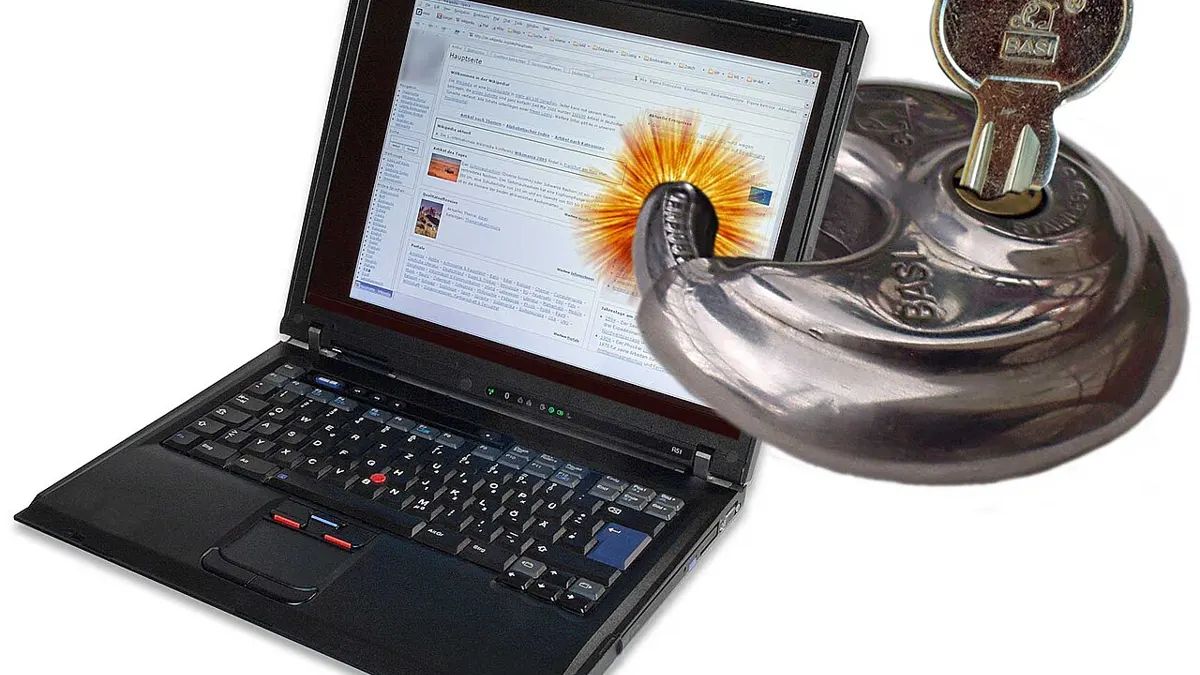
Isa sa pinakamabisang paraan para tumigil sa online na sugal ay gawing mahirap ang pag-access dito. Kapag may harang sa phone, computer at Wi-Fi mo, may oras kang mag-isip bago ka makataya.
This guide walks through practical ways to block gambling sites and apps on the devices Filipinos use most, plus ways to block the money and the ads that pull you back. Blocking works best alongside self-exclusion and support; see our responsible gambling page.

Why blocking helps
Online betting is available 24/7, one tap away. Blocks add friction: a pause between the urge and the bet. Urges usually fade within half an hour, so even a short delay can stop a bet from happening. Blocks also help when you're tired, upset or have been drinking, the moments when willpower is weakest.
Layer 1: Dedicated gambling blocker apps
Dedicated blockers maintain lists of thousands of gambling sites and apps and block them across browsers. Several well-known options exist, some free and some paid. Look for:
- Coverage of both websites and apps.
- Works on Android, iOS, Windows and Mac.
- A lock or commitment period that stops you uninstalling it on impulse.
- Regular updates as new sites appear.
Choose a reputable, well-reviewed tool and download it only from official app stores or the developer's website.
Layer 2: Built-in phone controls
Android
- Use Google Family Link or Digital Wellbeing tools to restrict apps and filter sites. You can set it up with a trusted person as the "parent" account who holds the password.
- In the Play Store, turn on parental controls so gambling-rated apps need approval.
- Set Private DNS to a family-filtering DNS provider that blocks gambling categories.
iPhone
- Go to Settings → Screen Time → Content & Privacy Restrictions.
- Under Web Content, choose "Limit Adult Websites" and add specific betting sites under "Never Allow."
- Restrict app installs or require approval.
- Ask a trusted person to set the Screen Time passcode so you don't know it.
Layer 3: Computer controls
- Windows: Microsoft Family Safety lets you block sites in Edge and restrict apps. You can also edit the hosts file to point specific sites to nowhere.
- Mac: Screen Time on macOS works like the iPhone version, with Content & Privacy restrictions and website blocking.
- Browsers: blocker extensions add an extra layer, but they're easy to disable, so don't rely on them alone.
Layer 4: Router and DNS filtering
Blocking at your home router covers every device on your Wi-Fi, including new phones and laptops:
- Log in to your router's admin page (often printed on the router label).
- Change the DNS servers to a filtering DNS service that offers a gambling category block.
- Turn on that category in the DNS provider's dashboard if required.
- Change the router admin password and let a trusted person keep it.
Note: router blocks don't apply when you use mobile data, so combine them with phone-level controls.
Layer 5: Block the money
- Lower daily cash-in and transfer limits on your e-wallets and bank apps.
- Remove saved cards from browsers and betting sites.
- Ask your bank whether it offers a gambling transaction block on cards.
- Uninstall crypto exchange apps if you used them to fund betting, or set withdrawal address whitelists.
- Let someone you trust co-manage your accounts for a while.
Layer 6: Block the triggers
- Unfollow betting pages, tipsters, casino streamers and "sure win" groups.
- Leave Telegram, Viber or Messenger groups that share odds or promos.
- Use ad settings on Facebook, YouTube and Google to reduce gambling ads where available.
- Unsubscribe from casino emails and block promotional SMS senders.
Quick setup plan: 30 minutes tonight
| Time | Step |
|---|---|
| 5 min | Delete all betting and casino apps; clear saved logins in your browser |
| 5 min | Install a gambling blocker app on your phone and turn on its lock |
| 5 min | Turn on Screen Time or Family Link; have a trusted person set the passcode |
| 5 min | Change your home router DNS to a filtering service |
| 5 min | Lower e-wallet cash-in limits and remove saved cards |
| 5 min | Unfollow betting pages and leave tip groups |
You don't need to do everything perfectly. Doing most of it tonight is much better than planning to do all of it "someday."
Editing the hosts file (for confident users)
On Windows and Mac, the hosts file lets you redirect specific website addresses so they don't load. It's free and works in every browser, but it only blocks sites you list, so new sites slip through. Steps in brief:
- Open the hosts file with administrator rights (on Windows it's in C:\Windows\System32\drivers\etc; on Mac it's /etc/hosts).
- Add lines such as
0.0.0.0 examplebettingsite.comand0.0.0.0 www.examplebettingsite.comfor each site. - Save the file and restart your browser.
Because it's easy to undo for anyone with admin access, treat the hosts file as an extra layer, not your main defence.
Common ways people get around blocks, and how to close them
| Workaround | Fix |
|---|---|
| Switching to mobile data | Use phone-level blockers, not just router DNS |
| Using a VPN | Restrict app installs with Screen Time or Family Link; choose a blocker that handles VPNs |
| Opening a new browser | Use system-wide blockers instead of browser extensions |
| Borrowing someone's phone | Tell close friends and family you've stopped |
| New mirror sites | Use a blocker with automatic list updates and category DNS filtering |
If you notice yourself looking for workarounds, that's a strong signal to add support, not just more blocks. Talk to someone you trust or call a helpline.
Blocking for a family member
Parents can use Family Link, Screen Time and router filtering to protect teens from betting sites and apps, which are illegal for minors with licensed operators anyway. For adult family members, blocks work best when they agree to them; installing hidden controls on another adult's device can damage trust. Have an honest conversation and offer to help them set it up.
Free vs paid blockers
| Option | Cost | Strengths | Weaknesses |
|---|---|---|---|
| Built-in controls (Screen Time, Family Link, Family Safety) | Free | Already on your device; passcode can be held by someone else | Manual site lists; some gaps |
| Filtering DNS | Free to low cost | Category blocking; covers whole network | Can be changed by anyone with settings access |
| Dedicated gambling blocker | Free tiers to paid subscriptions | Large updated lists; lock periods; cross-device | Subscription cost for some |
| Hosts file | Free | Works in all browsers | Only blocks listed sites |
If money is tight, the free combination of built-in controls plus filtering DNS, with a trusted person holding the passwords, already gives strong protection.
Keep your blocks up to date
New betting sites and mirror domains appear constantly. Once a month, check that your blocker is updated, test a few known betting sites to confirm they're blocked, and review your e-wallet limits. If something gets through, add it to your block lists right away and tell your support person.
Making blocks hard to undo
The biggest weakness of any block is that you can turn it off. Ways to reduce that risk:
- Have a trusted person set and keep all passwords and PINs.
- Use blocker apps with lock periods.
- Set up multiple layers so removing one doesn't open everything.
- Write down why you set the blocks and keep it somewhere visible.
Blocks plus self-exclusion
Blocking stops you reaching sites; self-exclusion stops sites accepting you. Use both. Apply for PAGCOR's programme and exclude yourself on every offshore site: see our PAGCOR self-exclusion guide. For support, visit gambling addiction help or call a number on our hotline page.
Taglish recap
Gumamit ng ilang layer ng harang: gambling blocker app, Screen Time o Family Link sa phone, Family Safety o Screen Time sa computer, filtering DNS sa router, limit sa e-wallet at bangko, at pag-unfollow sa mga betting page. Ipahawak sa taong pinagkakatiwalaan ang mga password para hindi mo basta matanggal ang harang. Isabay ito sa PAGCOR self-exclusion at sa self-exclusion sa bawat offshore site.
Mga Madalas Itanong (FAQ)
How long should I keep blocks on?
Keep them on for at least several months, and ideally indefinitely. Many people in recovery keep blocks permanently because they cost little and remove temptation.
What if a betting site still loads?
Add it to your blocker and DNS block lists right away, check that your blocker is updated, and tell your support person so they can help close the gap.
Are free blockers enough?
Built-in controls plus filtering DNS, with someone else holding the passwords, give strong free protection. Paid blockers add larger lists and lock periods.
Can I get around a gambling block with a VPN?
Often, yes, which is why you should restrict app installs with Screen Time or Family Link and choose a blocker that handles VPNs.
Should I block sites on a family member's phone?
For children, yes, using parental controls. For adults, blocks work best when they agree and help set them up.
How do I block gambling sites on my phone?
Install a dedicated gambling blocker, then use Screen Time on iPhone or Family Link and Private DNS filtering on Android. Let a trusted person hold the passcodes.
Paano i-block ang gambling sites sa phone?
Mag-install ng gambling blocker app, at gamitin ang Screen Time sa iPhone o Family Link at Private DNS sa Android. Ipahawak sa iba ang passcode.
Can I block gambling on my home Wi-Fi?
Yes. Change your router's DNS to a filtering service with a gambling category block. It won't cover mobile data, so add phone controls too.
Can I block gambling payments?
Lower e-wallet limits, remove saved cards, and ask your bank whether it offers a gambling transaction block.
Does blocking replace self-exclusion?
No. Use both: blocking stops you reaching sites, self-exclusion stops sites accepting you.
18+/21+. Crypto only. Ad: we may earn a commission. Play responsibly. October 2026
If gambling stops being fun, call PAGCOR's free 24/7 National Problem Gambling Helpline at (02) 8248-9568 (+63 2 8248 9568), or visit npgh.ph. Source: PAGCOR Responsible Gaming.