Cloudbet Mobile App Philippines: Is There an App? How to Bet on Your Phone (2026)
Welcome bonus for new players + fast crypto payouts. Just helping a brother out.
18+/21+. Crypto only. Ad: we may earn a commission. Play responsibly. October 2026
Reviews · Updated ·  Written by Carla Reyes ·
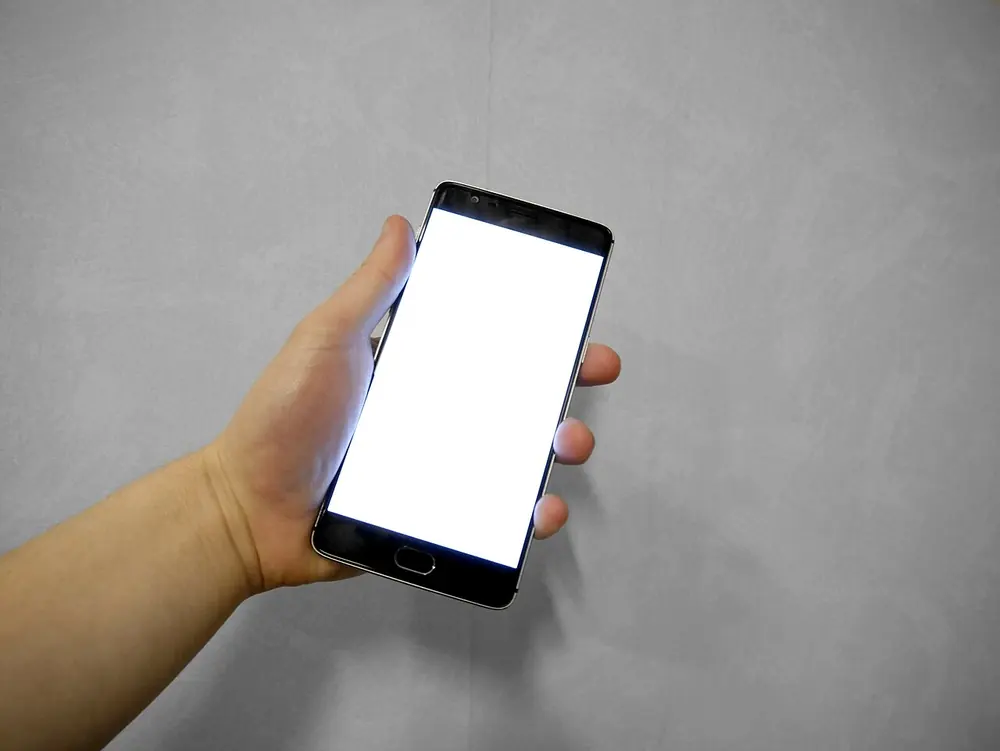
May Cloudbet app ba? No. Cloudbet doesn't have an official mobile app on the App Store or Google Play, and it doesn't offer an APK download. Its own help centre says so, and it says the site is fully optimised for mobile browsers instead.
That's actually good news for most Filipino players, because it means there's nothing to install, nothing to update and no fake app to fall for if you know the rule. This guide shows you how to use Cloudbet on your phone the right way: adding it to your home screen so it works like an app, signing up and depositing from mobile with GCash or Maya crypto, keeping your account secure, and spotting the fake "Cloudbet APK" files that circulate in Facebook groups and chats.
18+/21+. Crypto only. Ad: we may earn a commission. Play responsibly. October 2026
The short answer
- There is no official Cloudbet app. Not on iPhone, not on Android, not as an APK. Cloudbet's help article "Does Cloudbet have a mobile app?" says it plainly.
- The mobile site is the app. Open cloudbet.com in Chrome or Safari and you get the full sportsbook, casino, esports, cashier and account tools.
- You can pin it to your home screen. A shortcut opens the site in one tap, like an app icon, without installing anything.
- Anything else is fake. Cloudbet asks users to report any app claiming to be Cloudbet on the App Store, Google Play or as an APK. Treat those as phishing.
- Licence check. Cloudbet is licensed by the Curaçao Gaming Authority (licence OGL/2024/328/0599), not by PAGCOR. Read is Cloudbet legal in the Philippines before you sign up.
Why Cloudbet doesn't have an app
Cloudbet hasn't published a detailed reason, but the app stores themselves explain most of it. Apple and Google only allow real-money gambling apps in countries where the operator holds the right local licence, and they review each market separately. A crypto-first operator licensed in Curaçao and serving many countries would have to fight that battle country by country, and in the Philippines it couldn't qualify at all without PAGCOR approval.
A mobile website avoids all of that. It works on any modern phone, it updates the moment Cloudbet changes something, and it doesn't depend on an app store's approval. The trade-off is that you don't get an icon from a store, and that's the gap scammers try to fill with fake APKs.
How to put Cloudbet on your home screen
A home-screen shortcut gives you the app feeling without installing anything. It's just a bookmark with an icon, and it always opens the real site.
Android (Chrome)
- Open Chrome and type cloudbet.com yourself in the address bar. Don't tap a link from a chat, an ad or a search result you're not sure about.
- Check the address bar says cloudbet.com and the padlock is showing.
- Tap the three-dot menu (⋮) at the top right.
- Tap Add to Home screen, then confirm.
- Drag the new icon wherever you like. Tapping it opens Cloudbet in the browser.
iPhone (Safari)
- Open Safari and type cloudbet.com in the address bar.
- Check the address is right.
- Tap the Share button (the square with an arrow pointing up).
- Scroll down and tap Add to Home Screen, then Add.
Your login stays saved in the browser the same way it does on any site, so you won't need to sign in every time unless you log out or clear your browser data. If you share your phone with anyone, log out after each session or use a phone lock you don't share.
What you can do on Cloudbet mobile
The mobile site isn't a cut-down version. The same account, balance and features are there on the phone as on a computer:
- Sportsbook. Pre-match and in-play betting on basketball, football, tennis, boxing and MMA, volleyball and more, including NBA and other leagues Filipinos follow. Bet Builder (same-game parlays) is available on selected leagues, pre-match only.
- Esports. Markets on titles like Dota 2, Counter-Strike, Valorant and League of Legends, with live betting on selected matches.
- Casino. Slots, table games, live dealer games and Cloudbet's own provably fair Originals such as Dice, Crash, Plinko and Mines.
- Cashier. Deposits and withdrawals in a long list of coins, including USDT on several networks.
- Account tools. Verification, 2FA, bet history, responsible gambling limits and 24/7 live chat.
Live betting on a phone is where the mobile site matters most. Odds move fast in-play, so a stable connection helps. On mobile data, if a bet keeps getting rejected for an odds change, check your bet slip's settings and your signal before you retry.
Signing up on your phone
Sign-up on mobile is the same as on desktop: an email and password, then you're in. For the full walkthrough, see how to sign up for Cloudbet. A few mobile-specific tips:
- Use an email you can open on the same phone. Cloudbet sends codes and confirmations there, including withdrawal confirmations.
- Pick a strong password you don't use anywhere else, and save it in your phone's password manager rather than a screenshot in your gallery.
- Turn on 2FA straight away (steps below).
- Plan to verify early. Unverified accounts have a lifetime deposit cap of about $2,200 and a daily withdrawal cap of about $2,200. ID, proof of address and a face check remove those caps, and your phone's camera makes the documents step quick.
Depositing from your phone with GCash or Maya
Because GCash and Maya removed gambling links from their apps in August 2025, you won't find a "pay with GCash" button that jumps you into Cloudbet. What works is buying crypto inside your e-wallet and sending it to your Cloudbet deposit address. On one phone it takes a few minutes.
- In Cloudbet, open the cashier, choose deposit, pick the coin (USDT is the common choice) and the network, for example Tron (TRC20).
- Copy the deposit address.
- Switch to GCash (GCrypto) or Maya Crypto. Buy USDT if you don't have it yet.
- Choose send, paste the address, choose the same network, enter the amount, check the fee and confirm.
- Switch back to Cloudbet and wait for the deposit to confirm on the network.
Copy-paste between apps is where mistakes happen on a phone. Check the first and last few characters of the address after you paste. Never send on a network Cloudbet doesn't list for that coin; Cloudbet doesn't support bridged USDT.e or USDC.e, for example. Full guides: deposit to a crypto casino with GCash and Maya crypto to casino.
Cloudbet also has a Deposit with card option run by its partner Swapped, which lists Visa and Mastercard and, for the Philippines, GCash and Maya. It's only available in select countries and only shows methods supported where you are, so check the cashier. Swapped charges its own processing fee. More in online casinos that accept credit cards.
18+/21+. Crypto only. Ad: we may earn a commission. Play responsibly. October 2026
Withdrawing on mobile
Withdrawals work the same way in reverse. In the cashier, choose withdraw, pick the coin and network, paste your GCash, Maya or exchange receiving address, enter the amount and confirm. Cloudbet sends a confirmation by email (or Telegram if you've linked it), and withdrawals are typically processed within 24 hours after confirmation. Then sell the USDT for pesos in your e-wallet. See how to withdraw USDT to GCash and Cloudbet withdrawal time.
Keep your account safe on mobile
Turn on 2FA
Cloudbet supports two-factor authentication with an authenticator app such as Google Authenticator. Per its help centre:
- Tap your profile icon, then Security under Account.
- Under Two-factor authentication, choose Set up 2FA.
- Enter the code sent to your email.
- Save the recovery code somewhere safe and offline, then continue.
- In your authenticator app, tap + and scan the QR code. On a single phone, you may need to copy the setup key instead of scanning.
- Enter the code from the app to finish.
Keep the recovery code. If you change phones without it, getting back in takes much longer.
Use secure DNS
Cloudbet uses a privacy feature called Encrypted Client Hello and recommends pairing it with secure DNS, such as Cloudflare (1.1.1.1) or Google (8.8.8.8). In Chrome for Android: tap ⋮, then Settings, Privacy and security, Use secure DNS, and choose a provider. Chrome for iPhone doesn't offer this setting, but you can set secure DNS for the whole device using Cloudflare's or Google's own instructions.
If something looks wrong
If you think someone else got into your account, Cloudbet's advice is to change your password right away (or reset it if it's been changed), secure your email account first since it's the key to everything, turn on or reset 2FA, and contact support. Support is available 24/7 by live chat on the site, or by email at support@cloudbet.com from the address linked to your account.
How to spot a fake Cloudbet app
Fake betting apps are common in the Philippines, often shared in Facebook groups, Telegram channels and Messenger chats with promises of bigger bonuses or "faster GCash cash-in". Here's how to tell:
- Any APK file called Cloudbet is fake. Cloudbet doesn't make one. Installing an APK from a chat or a random site can give someone access to your phone, your SMS codes and your e-wallet.
- Any "Cloudbet" listing on the App Store or Google Play is fake. Report it to Cloudbet support.
- Agents offering to "load" your Cloudbet account. Cloudbet doesn't use local cash-in agents. Deposits go from your own wallet to your own deposit address.
- Look-alike domains. Extra words, odd spellings or different endings to the web address. Type cloudbet.com yourself and use your home-screen shortcut afterwards.
- Requests for your password, 2FA code or recovery code. Real support will never ask for these.
If you already installed something suspicious, uninstall it, change your Cloudbet and email passwords from a clean device, reset 2FA, and check your GCash or Maya for transactions you didn't make.
Which browser works best?
Use the browser your phone already trusts and keeps updated: Chrome on Android, Safari on iPhone. Both get security updates automatically through the store, which matters more than any small speed difference. Avoid "browser" apps you've never heard of from ads, since some are built to capture logins. If a page looks broken, update the browser first, then clear the site's cache from the browser settings and sign in again.
On a busy mobile signal, switch to Wi-Fi before big deposits or withdrawals so a dropped connection doesn't interrupt the confirmation step. And keep your phone's own screen lock on, because anyone holding your unlocked phone with a saved login can open your account.
Mobile site vs a real app: does it matter?
For most players, no. The mobile site loads fast on 4G and 5G, works on cheap and expensive phones alike, and is always the latest version. What you give up is mainly push notifications. You won't get an alert on your lock screen when a bet settles, so check your bet history, or use email or Telegram notifications for things like withdrawal confirmations. Some players actually see that as a plus: no app buzzing at you to bet more.
If you want a deeper look at the whole platform, from odds to bonuses, read our Cloudbet review and Cloudbet Philippines guide.
Play smart on your phone
Pare, a casino in your pocket is convenient, which is exactly why limits matter. You must be 21 or older to gamble in the Philippines. Set deposit limits in your account, avoid betting when you're tired or upset, and never chase losses. If betting stops being fun, the National Program on Gambling Harm hotline is (02) 8248-9568, and our responsible gambling page has more help.
Mga Madalas Itanong (FAQ)
Is there a Cloudbet app for Android or iPhone?
No. Cloudbet has no official app on Google Play or the App Store, and no APK. Its help centre says the site is fully optimised for mobile browsers. You can add cloudbet.com to your home screen from Chrome or Safari so it opens like an app.
Is the Cloudbet APK safe to download?
There is no official Cloudbet APK, so any APK using the Cloudbet name is unofficial and should be treated as a scam. Cloudbet asks users to report any app or APK claiming to be Cloudbet to its customer support.
Can I use Cloudbet on my phone in the Philippines?
Yes, the mobile site works in any modern phone browser. Note that Cloudbet is licensed in Curaçao, not by PAGCOR, so it isn't part of the Philippine licensing system. Check our guide on whether Cloudbet is legal in the Philippines first.
How do I deposit on Cloudbet mobile with GCash?
Buy USDT in GCash GCrypto, copy your Cloudbet deposit address for the same coin and network, then send from GCash to that address. GCash no longer links directly to gambling sites, so you always copy the address yourself.
Does Cloudbet mobile have live betting and live casino?
Yes. The mobile site has the same sportsbook, in-play betting, esports, casino, live dealer games and cashier as the desktop site, all under one account and balance.
How do I contact Cloudbet support from my phone?
Use the 24/7 live chat on the Cloudbet site, or email support@cloudbet.com from the email address linked to your account.
18+/21+. Crypto only. Ad: we may earn a commission. Play responsibly. October 2026
18+/21+. Crypto only. Ad: we may earn a commission. Play responsibly. October 2026
If gambling stops being fun, call PAGCOR's free 24/7 National Problem Gambling Helpline at (02) 8248-9568 (+63 2 8248 9568), or visit npgh.ph. Source: PAGCOR Responsible Gaming.